Offer generator for book wholesalers · Client project
Book Store
Book Store is an internal tool for a book wholesaler in Cyprus. It collects supply lists from publishers, keeps them clean, and builds a priced offer for every customer request, title by title. I designed it with TGN Solutions in 2023.
- Client
- Book wholesaler, Cyprus · with TGN Solutions
- Role
- UI/UX design
- Platform
- Web, back office
- Year
- 2023
01
The client and the problem
A customer, say a bookshop chain or a library, sends a list of a thousand ISBNs and asks for a price. The wholesaler has to find each book in dozens of publishers' supply lists, each in a different currency and with its own lead times, minimum margins, quantity limits and payment terms, and then decide on a price the customer will accept. Supply lists can run to a million rows in Excel and change every month. The team did this in spreadsheets. The product needed to do the heavy lifting, while the sales manager still made the price.
A thousand titles per request
Every line needs a supplier, a stock check and a price, and most of them need no thought at all.
Lists that disagree
A new supply list can quietly change a type, a weight or a price that the team already trusts.
Pricing without memory
Whether this customer accepted or rejected a price last time sits in old emails, not next to the title.
Too many columns
ISBN, supplier, status, margin, list price, final price, publisher, type, currency and more don't fit on one screen.
02
User flow
- 01Customer request
- →
- 02Offer preparation
- →
- 03Check exceptions
- →
- 04Adjust prices
- →
- 05Generate offer
- →
- 06Supplier lists
- →
- 07Validate & activate
03
Key decisions
- 01
Every title remembers the last answer
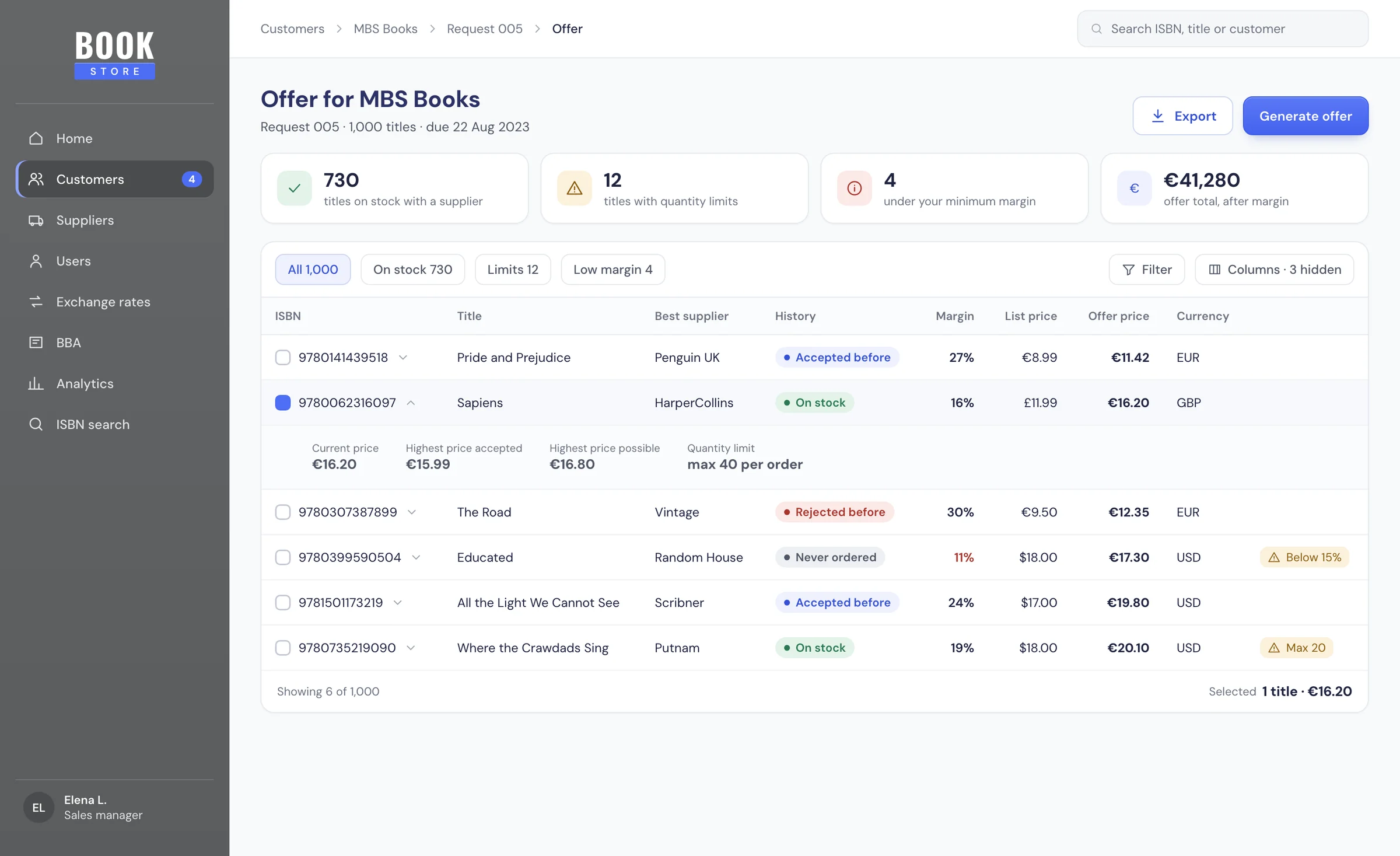
Next to each ISBN in Offer preparation there is a status for this customer: Accepted, Rejected or Never ordered. Opening a row shows three prices one under the other: the current price, the highest price this customer accepted before, and the highest price possible. With that in view, the sales manager can tell straight away whether to hold a price or come down. It adds a row to open, but pricing a book without its history was exactly what the team did in spreadsheets.
- 02
A thousand rows, only a few that matter
At the top of the offer, two lines did the counting in my design: 735 records have restrictions, 730 records from 1000 are on stock. Titles with a quantity restriction carry a small info icon on the ISBN, with the limit in a tooltip. In the portfolio version I turned those lines into cards and quick filters, so one click shows only the limits or only the low margins. Counts are less exciting than charts, but this team needed to know where to look, not how the month looked.
- 03
Columns you choose, and you know what's hidden
An offer has more columns than any screen can hold. Manage Columns opens a side panel with a toggle for each column and a search, and under the button a small line says how many columns are hidden, like 3 columns are hidden. Letting people hide columns is risky, because they forget they did, so the count stays visible every time.
- 04
A new list is checked before it counts
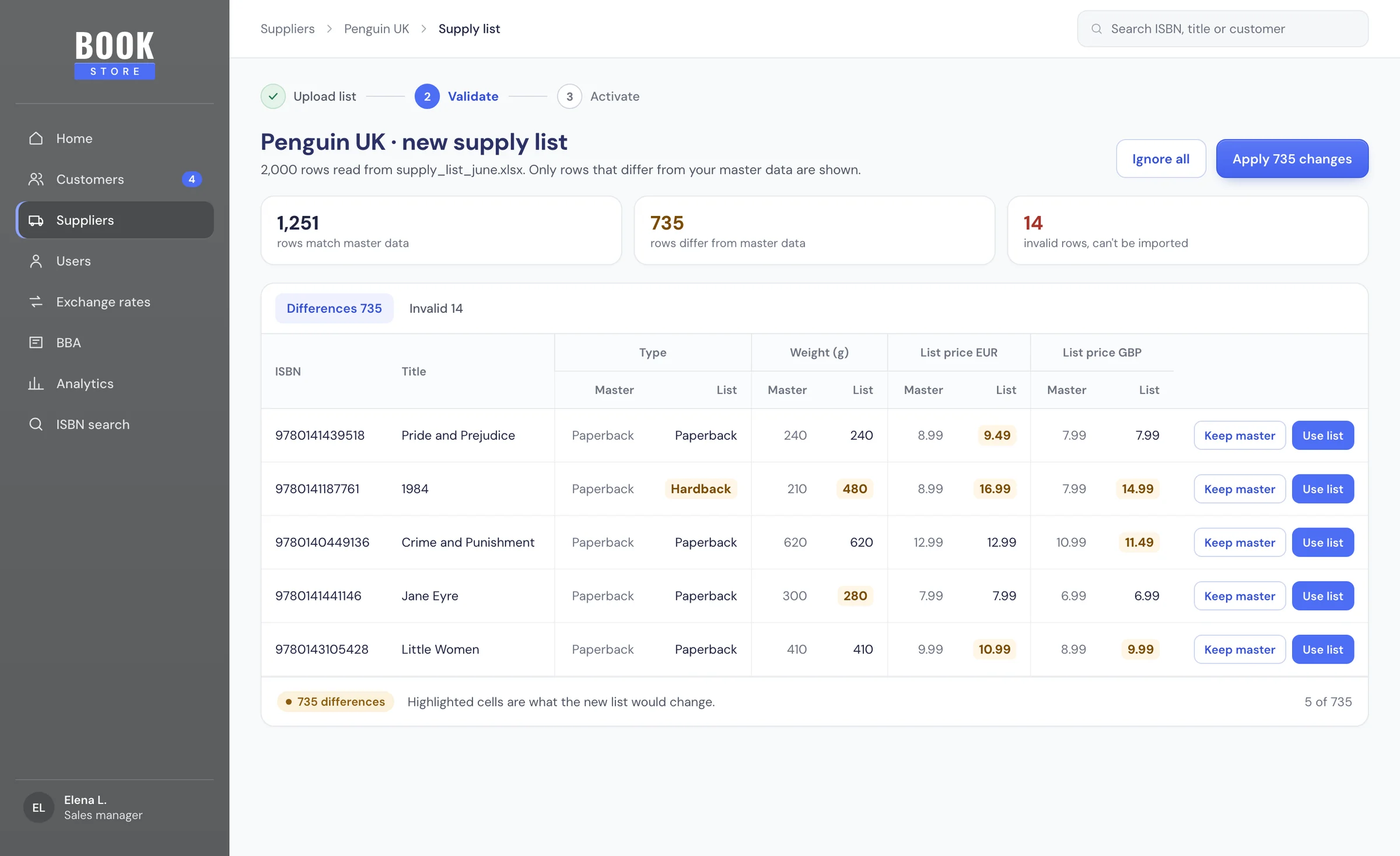
When a publisher sends a new supply list, it doesn't replace the old one straight away. Imported list validation shows only the rows that differ from the master data, with Master and List next to each other for type, weight and the list prices in EUR, CHY and GBP. Invalid rows sit in their own tab. The team can Ignore all or Resolve. It's one more step before new prices go live, but a wrong weight or price in a million-row list would otherwise flow straight into offers.
- 05
One book, one publisher
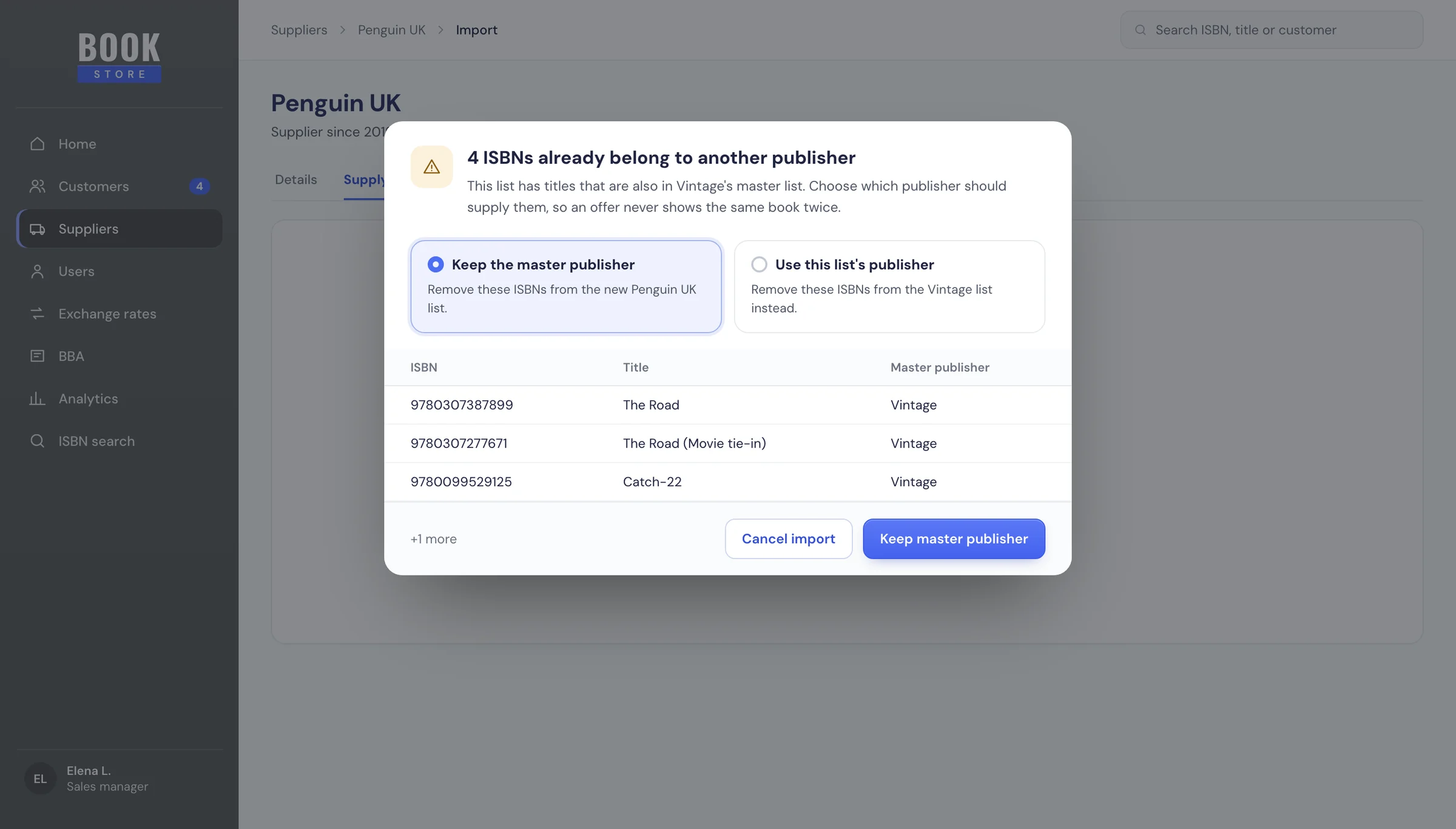
Sometimes the same ISBN shows up in two publishers' lists. The import stops and says so: There is already a same ISBN number for two or multiple publishers. It lists the ISBNs and offers two clear choices, Master Publisher or List Publisher, and explains what each one removes. An interruption during import is annoying, but an offer with the same book twice at two prices is worse.
- 06
Big lists say when they are busy
Lists of up to a million rows take time to process, so a list in progress has its own status, and opening it shows a calm banner: The list can not be viewed while in processing status. Each publisher has Active, Inactive and Stock lists in separate tabs, and its details hold what pricing depends on: lead time, quantity restrictions, shipping cost, minimum margin, title restrictions and payment terms split between up front, delivery, 30 and 60 days. Keeping those terms in one form meant the offer could use them without anyone retyping them.
04
Design system
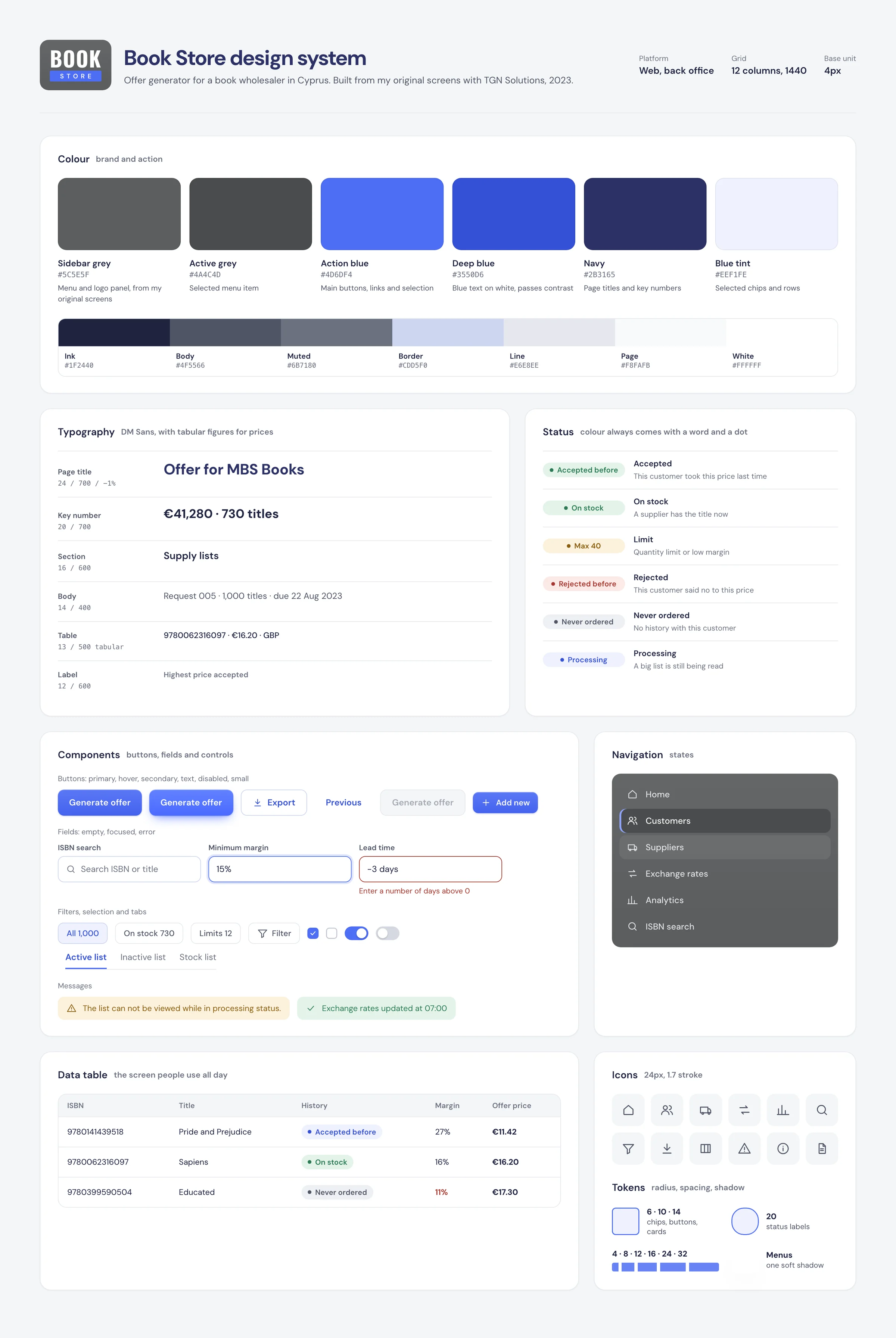
Book Store is a tool people use all day, so the interface stays plain: the grey sidebar and BOOK STORE logo from my original screens, white tables on a light page, navy titles and one strong blue for actions and the selected state. Status labels always pair a colour with a word and a dot: green for accepted or on stock, red for rejected, grey for never ordered, amber for limits and low margins. Numbers use tabular figures so prices line up, and currency is always shown next to the amount.
05
Final screens
06
Next steps
Next, I'd like to sit with the sales team during a big request and see which exceptions they open first, and whether the price history changes what they offer. I'd also look at sending the finished offer to the customer from inside the tool, and at showing which suppliers' lists are getting old.
Next project